Salesforce
Have you thought of getting your marketing videos integrated with a CRM application so that you can use it to convert your marketing campaign into a strong lead conversion based one? Look no further, we have brought out our latest integration with one of the world’s best CRM solution provider, 'Salesforce'.
THE PROCESS
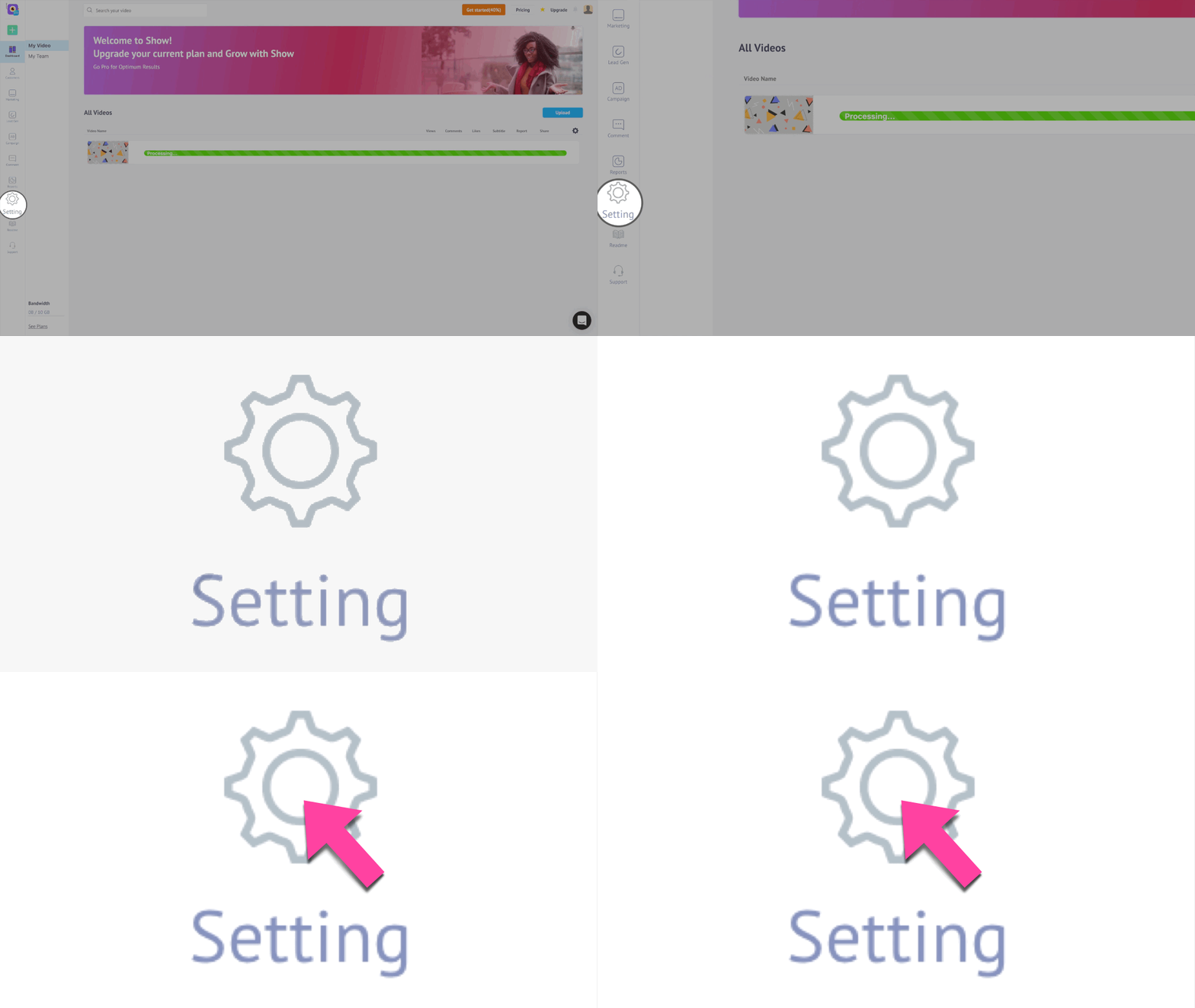
All you need to do is log in to your Show account and click on the Settings button found at the bottom left corner of the Homepage Sidebar menu.
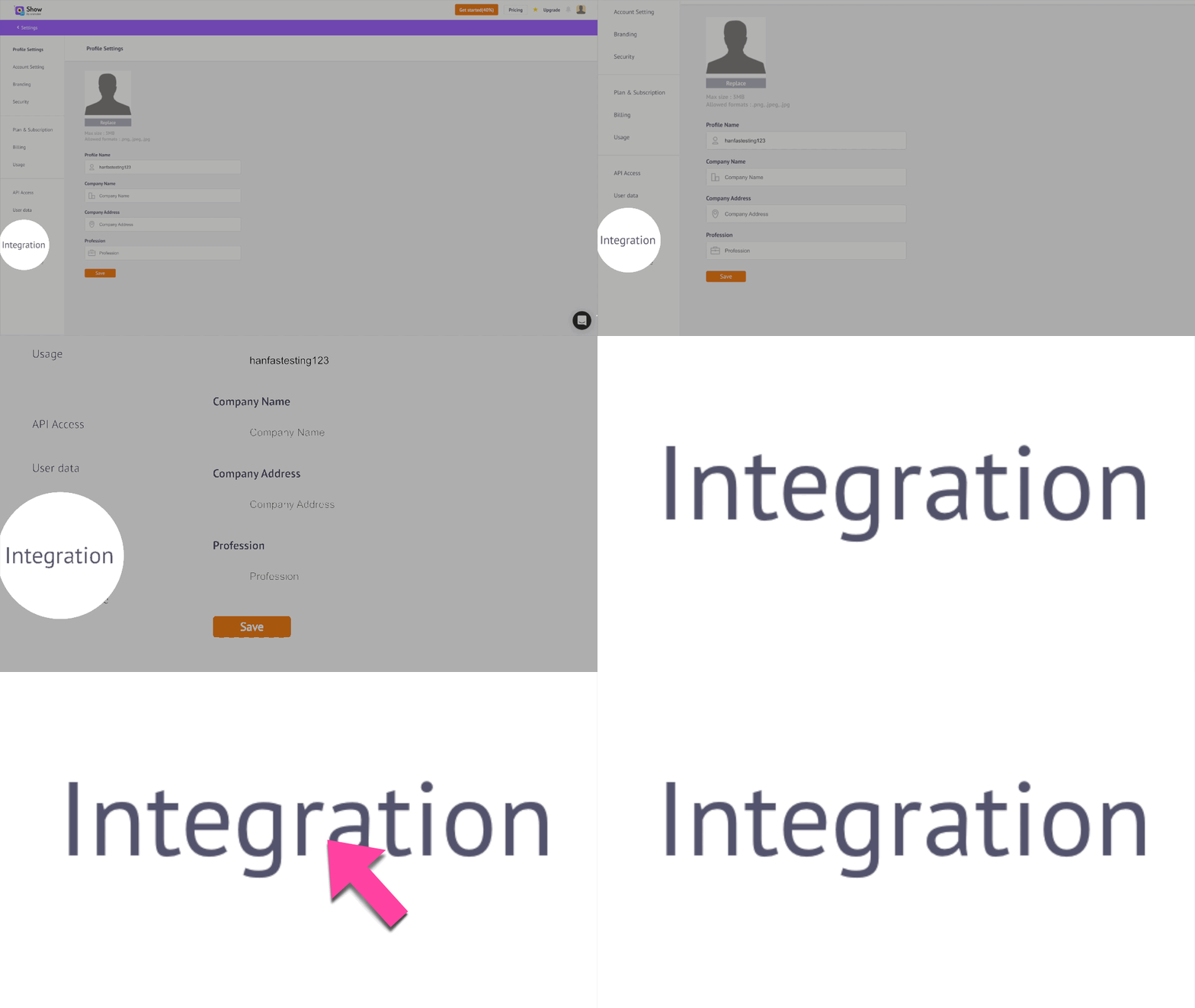
In the Settings Panel page you are taken to, click the Integration Tab found on the bottom left of the Settings Panel menu. You can start the Integration process by clicking the Connect button on the HubSpot Integration tab.
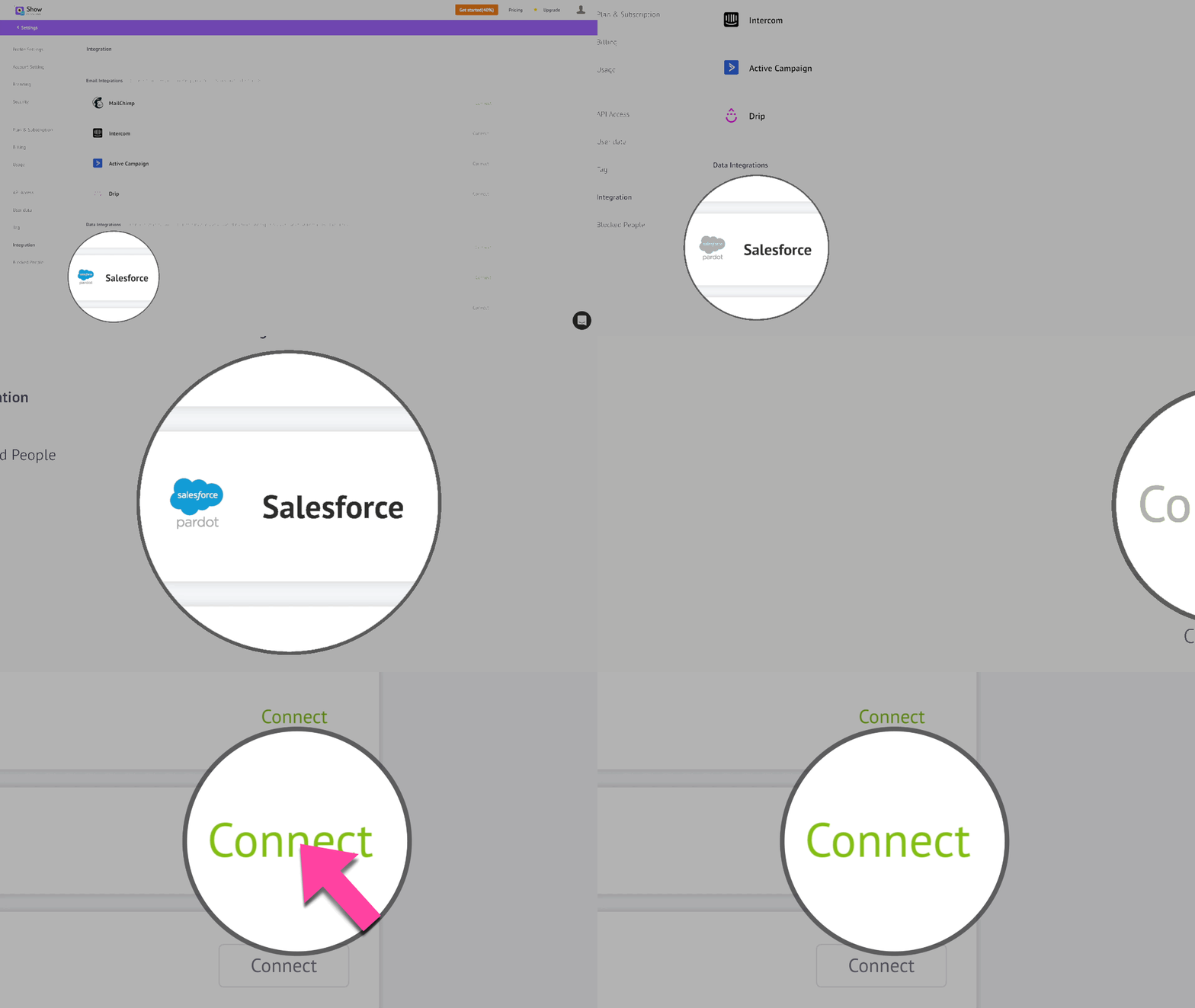
Salesforce, as you know, makes use of viewer data as a marketing tool to create hyper-focused ads. This is the reason why you will find this integration under the Data Integrations section of Show Integrations. You can now start the Integration process by clicking the Connect button on the Salesforce Integration tab.
You will be taken to the Salesforce Sandbox log in page where you can log in using your Salesforce account (the user name is usually an email address), as shown below.
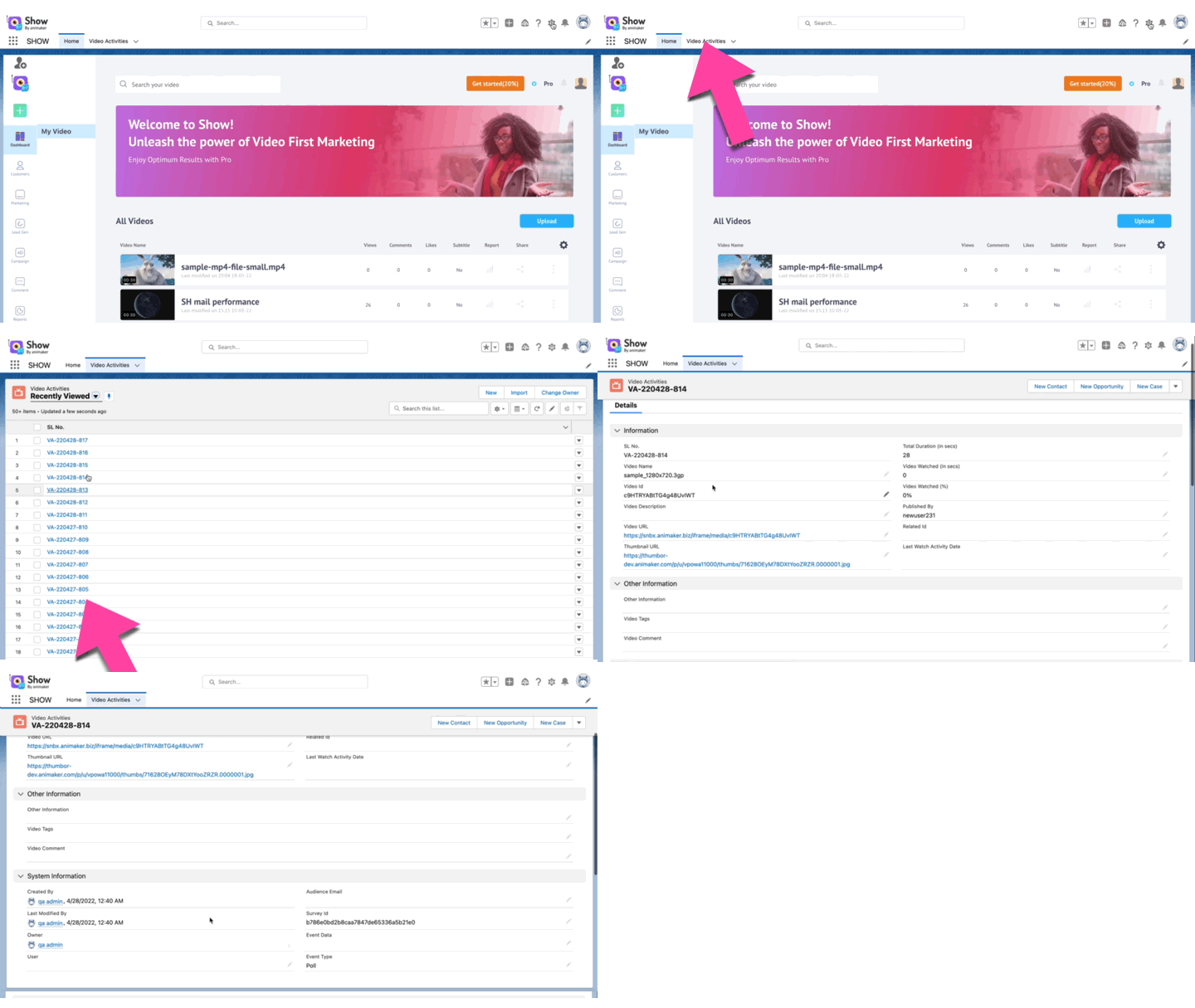
AFTER LOGIN\ After logging in to Salesforce, you can see a replica of your Show account with all the videos created. You can see the Home page with all the uploaded videos in your Show account. You can also notice the Video Activities tab, which we will discuss later.
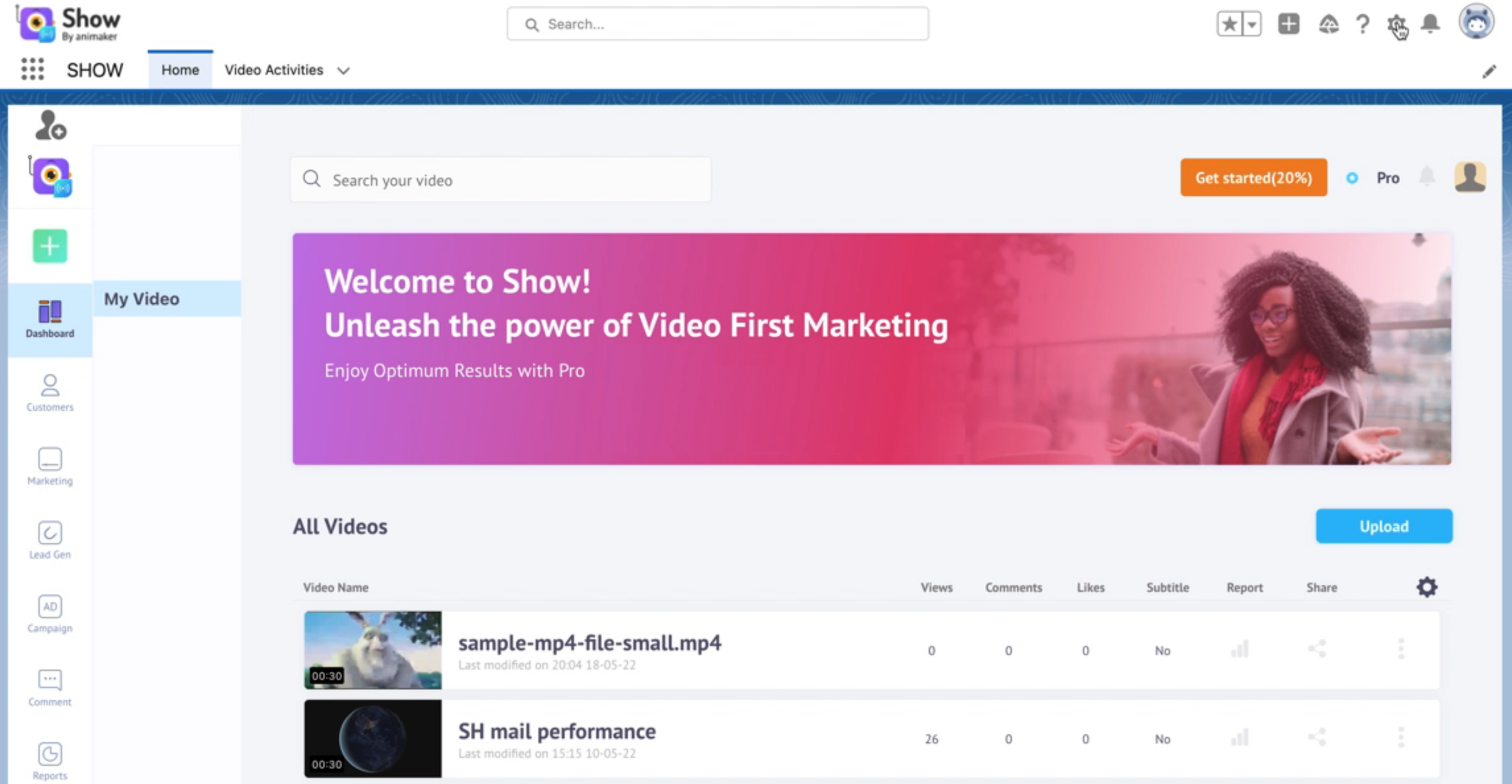
There is a difference between the original Show account screen and this one. In the Salesforce Show account, you cannot access some of the features.
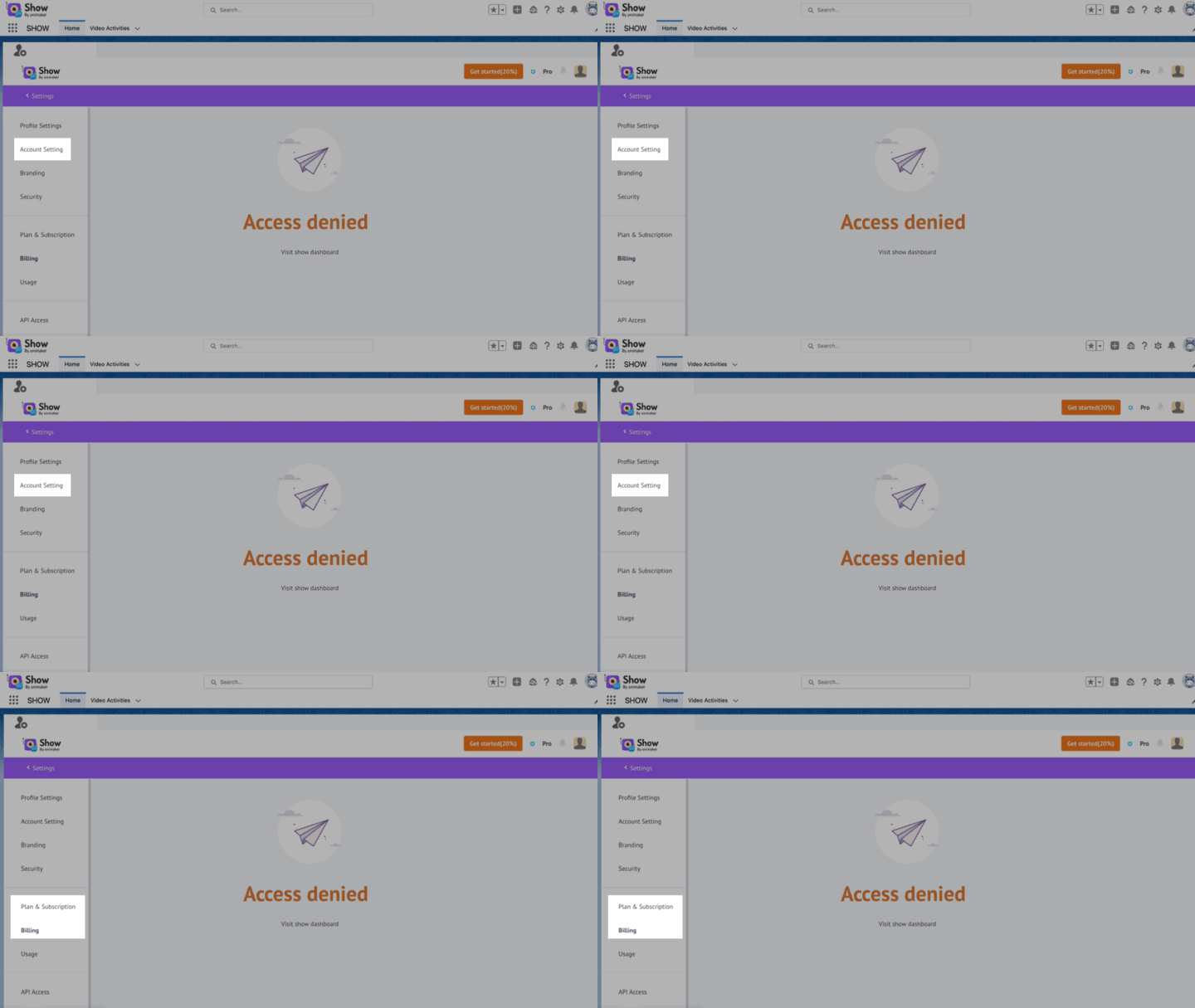
What can I do in Salesforce Show account Integration?
You can see some of the features that can be used as part of your Salesforce process in this section.
Create Access Token:\ You can generate your API access token in the Salesforce Show account also. All the changes or deletion of the access token done here will appear in the Show account too.
User Management\ As the saying goes ‘more the merrier’, we believe a successful marketing campaign is the work of a good team. You have to build a strong team to get the wheels rolling in your marketing campaign. The different processes you can do here are:
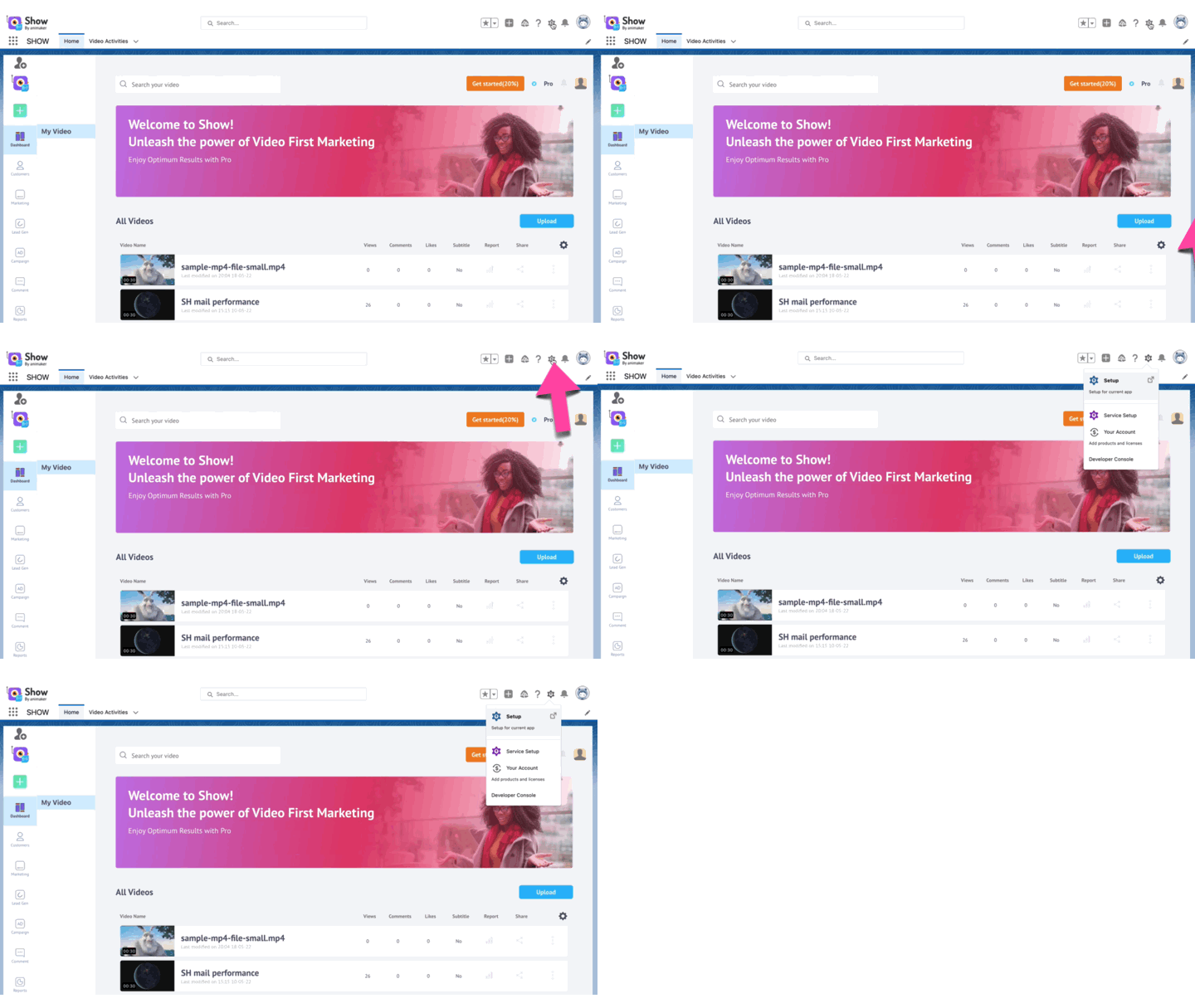
- Add new user: Keeping that in mind, you can add a new user to your Salesforce marketing team. You need to go go to the Setup in your Salesforce integration first as shown below,
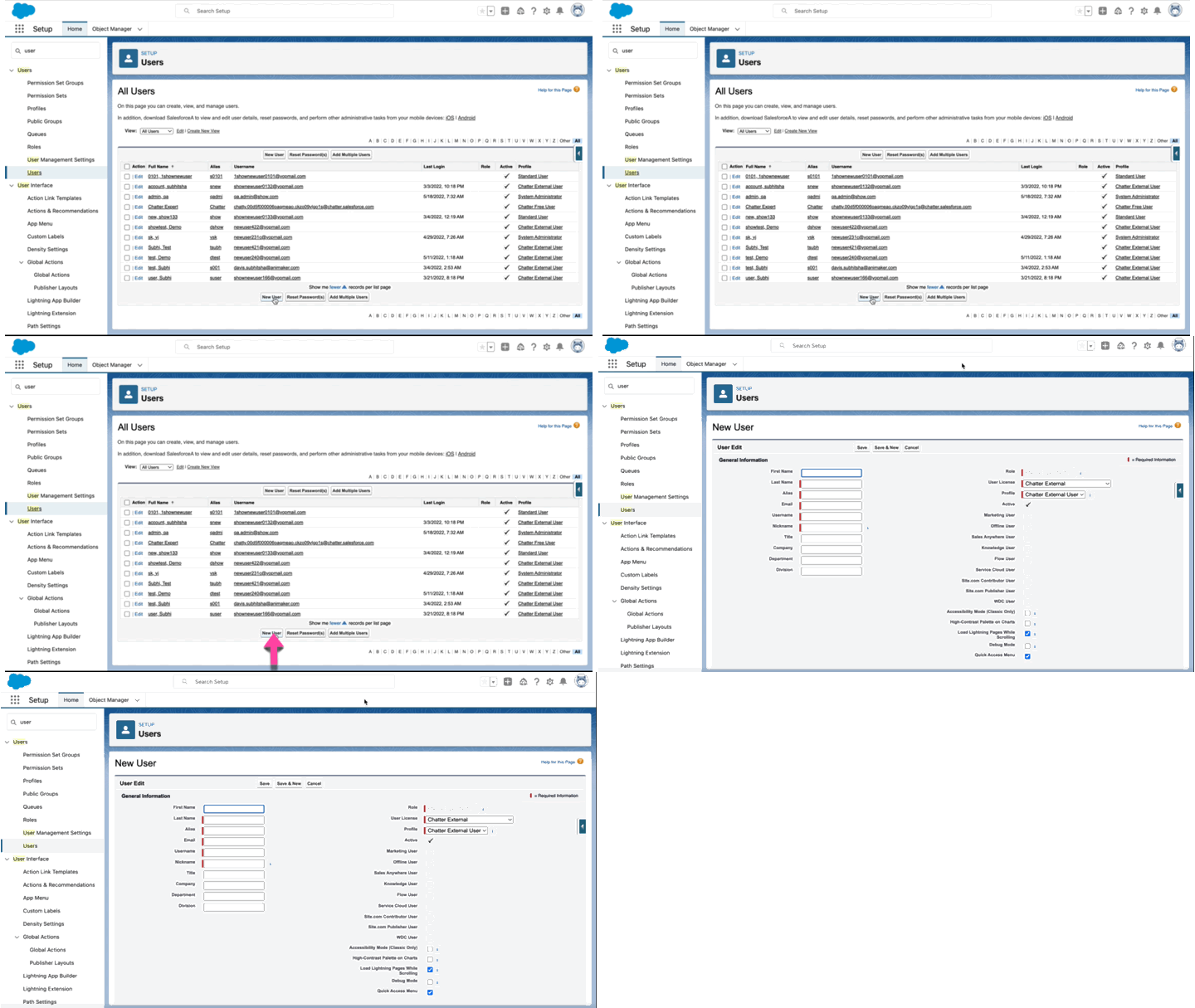
In Setup, you have to go to the Users option on the left panel and then click the New User button and enter all the required details in the screen shown below.
- Invite users: You can now send invitations to the existing members of your Salesforce team by clicking the Invite users icon in the Home page of the Salesforce Integration and then search for the existing members and then send invites to their email addresses.
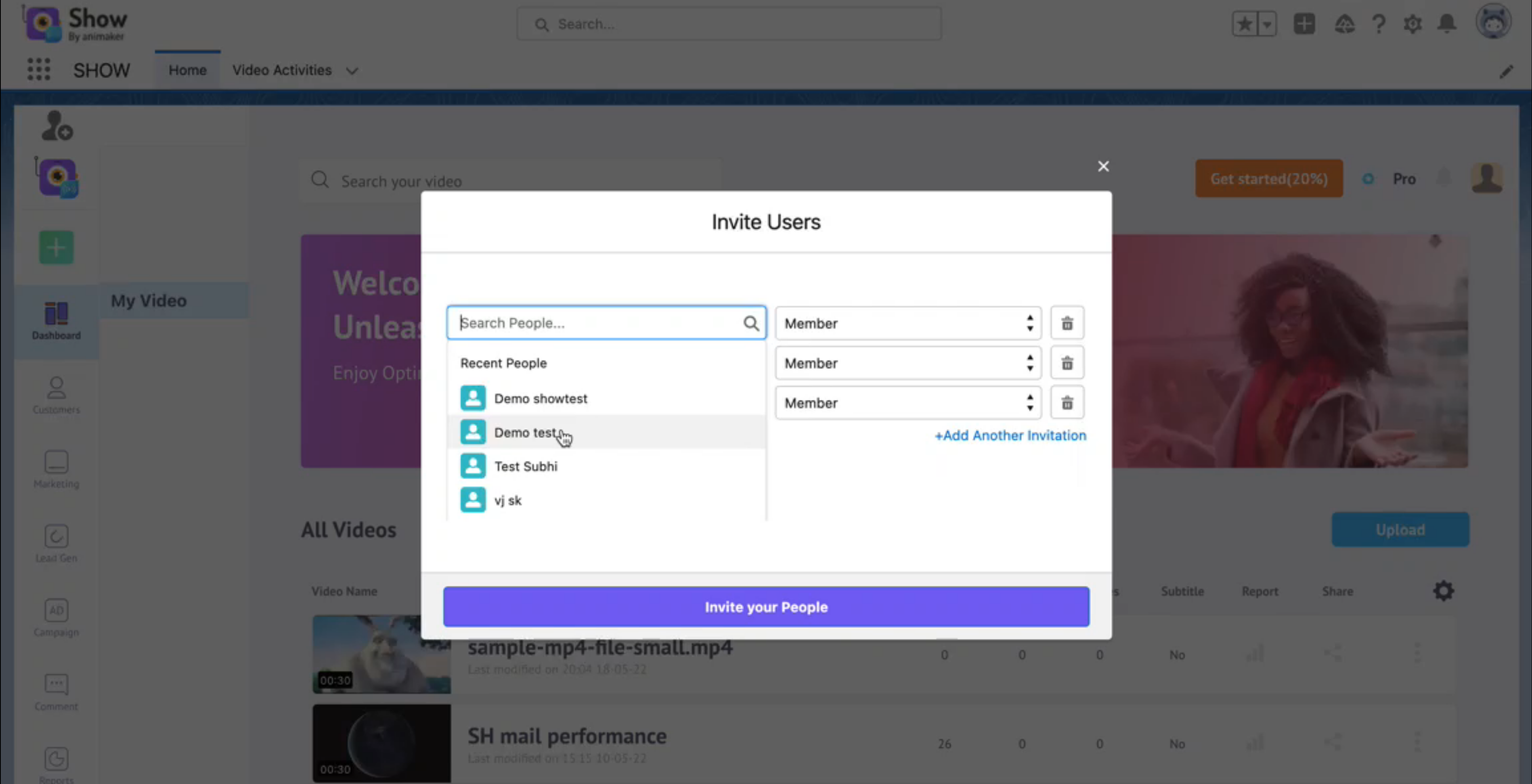
- Assign Roles: You can even assign roles to different members of your team during the invitation process by assigning them either as Admin or a normal member of the team as shown below:
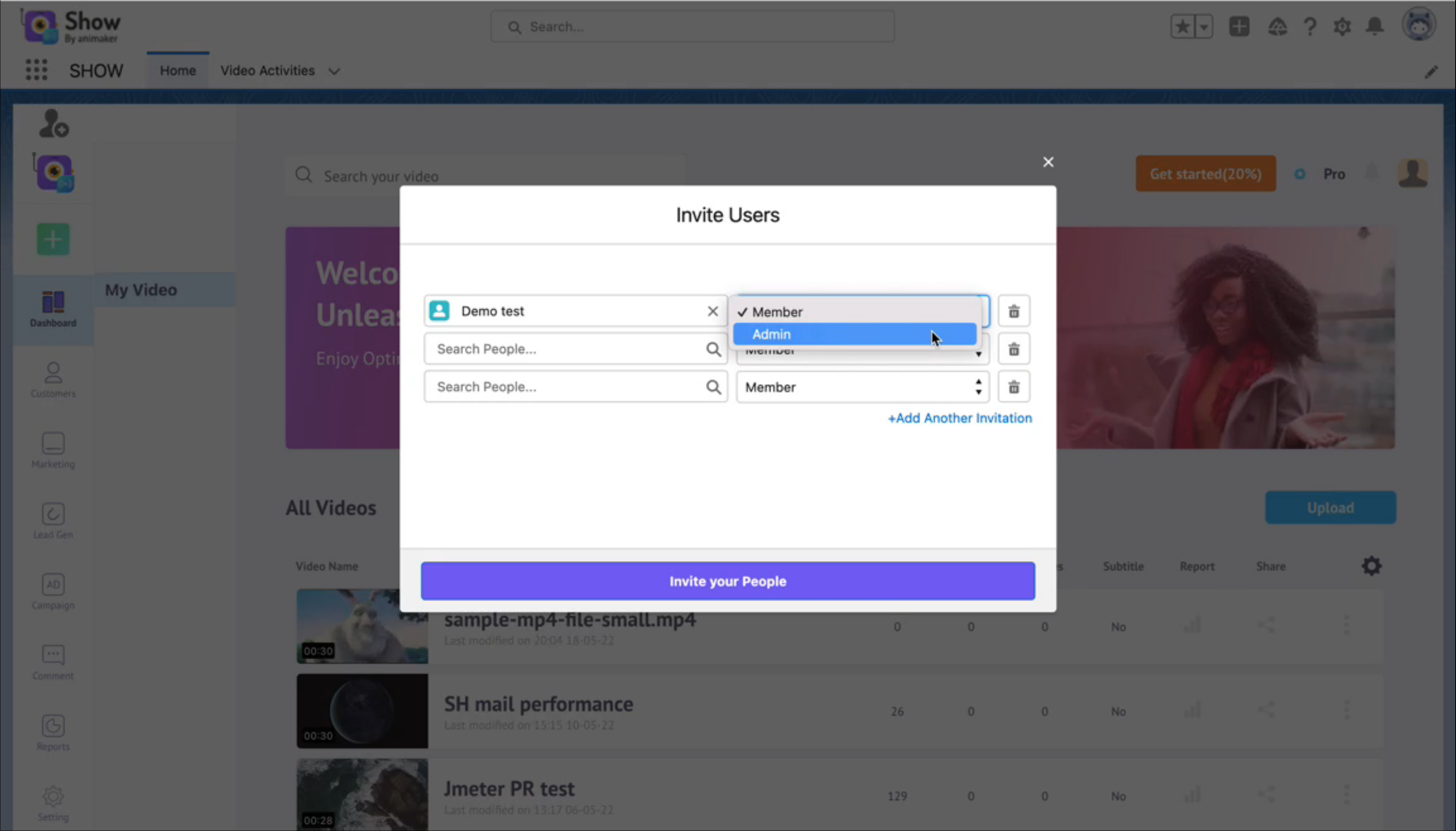
- Delete Users: If you want to remove someone from your team, you do so in the invite users screen by just clicking the delete button.
Video Management:\ Now that you have settled with whom to work with. The next thing you need to concentrate are the following:
-
Upload Video: You can upload a new video in your Salesforce integration. This process is similar to the normal video upload process. Any video that you upload in the Salesforce Integration will reflect in your Show account and vice versa.
-
Video Activities: You might be curious to know a few details about your uploaded video especially once your marketing campaign is rolled out. You can get all the details like video analytics and such by going to the Video Activites tab in the Salesforce Integration. Here, you can click on a particular video and you can get all the required information about it.