Branding
OVERVIEW
This feature is a One-Stop shop for branding your Show account. These features will help you market your videos under a single brand umbrella.
You can provide all your videos with similar customizations, like, similar video players, video landing pages, and logos.
You can Brand your videos with the following options,
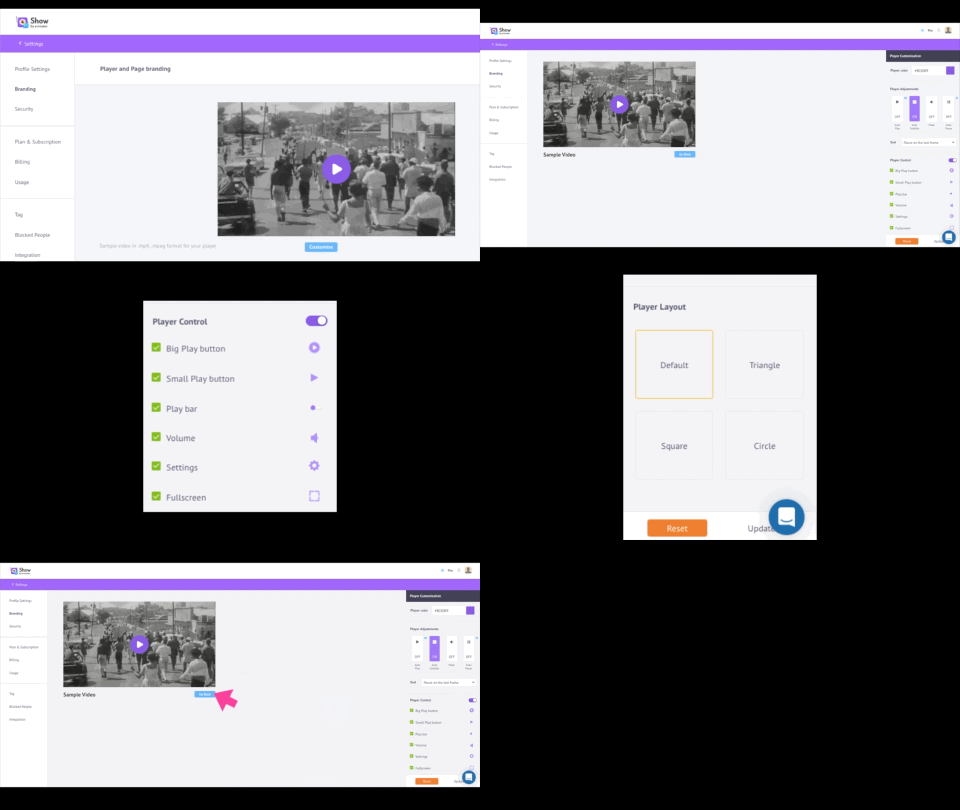
1. BRANDING YOUR PLAYERS & LANDING PAGES
This feature will allow you to customize your video player and video page for all the videos in your Show channel. All you need to do to customize is click the 'Customize' button and you can do the necessary changes to make your Show channel a brand.
2. BRANDING YOUR LOGOS
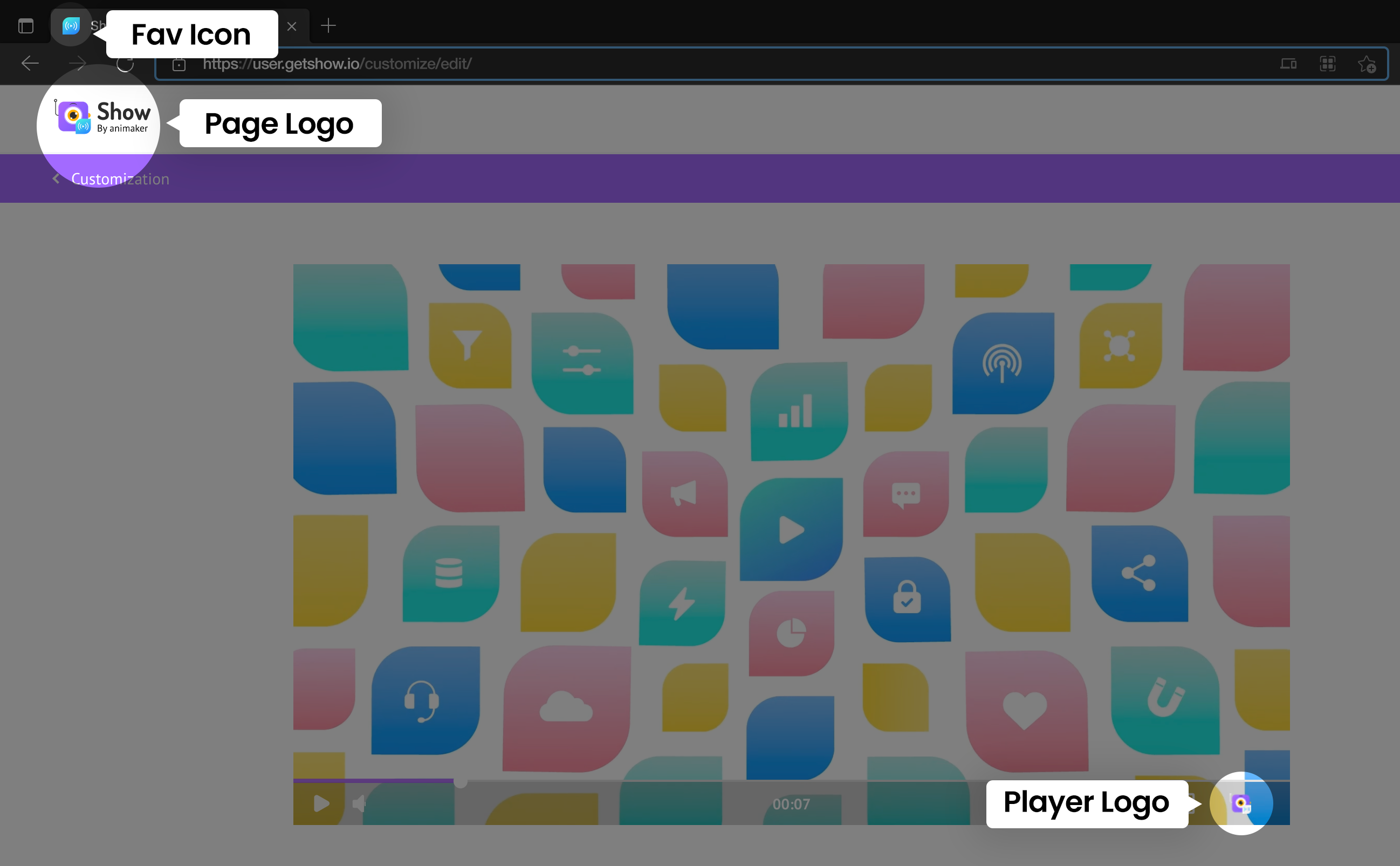
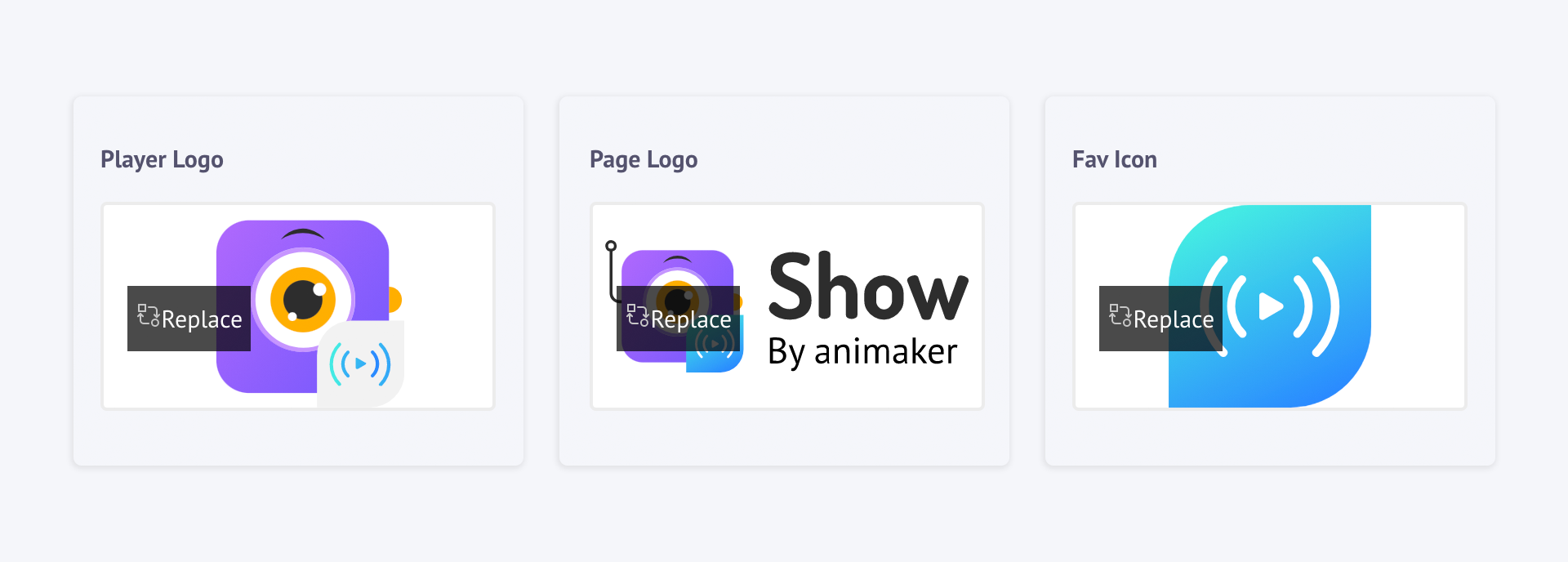
You can start branding yourself with the logos here. You can provide the logos for your video player, page, and your favicon here.
| Options | Description |
|---|---|
| PLAYER LOGO | This logo will be displayed in your videos. |
| PAGE LOGO | This logo can be seen on every Show video page. |
| FAVICON | This logo will be used as the browser icon when your viewer opens your Show channel website. |
You can upload your logos here by clicking the 'Replace' button and uploading the logo of your choice for each section.
3. BRANDING YOUR URL
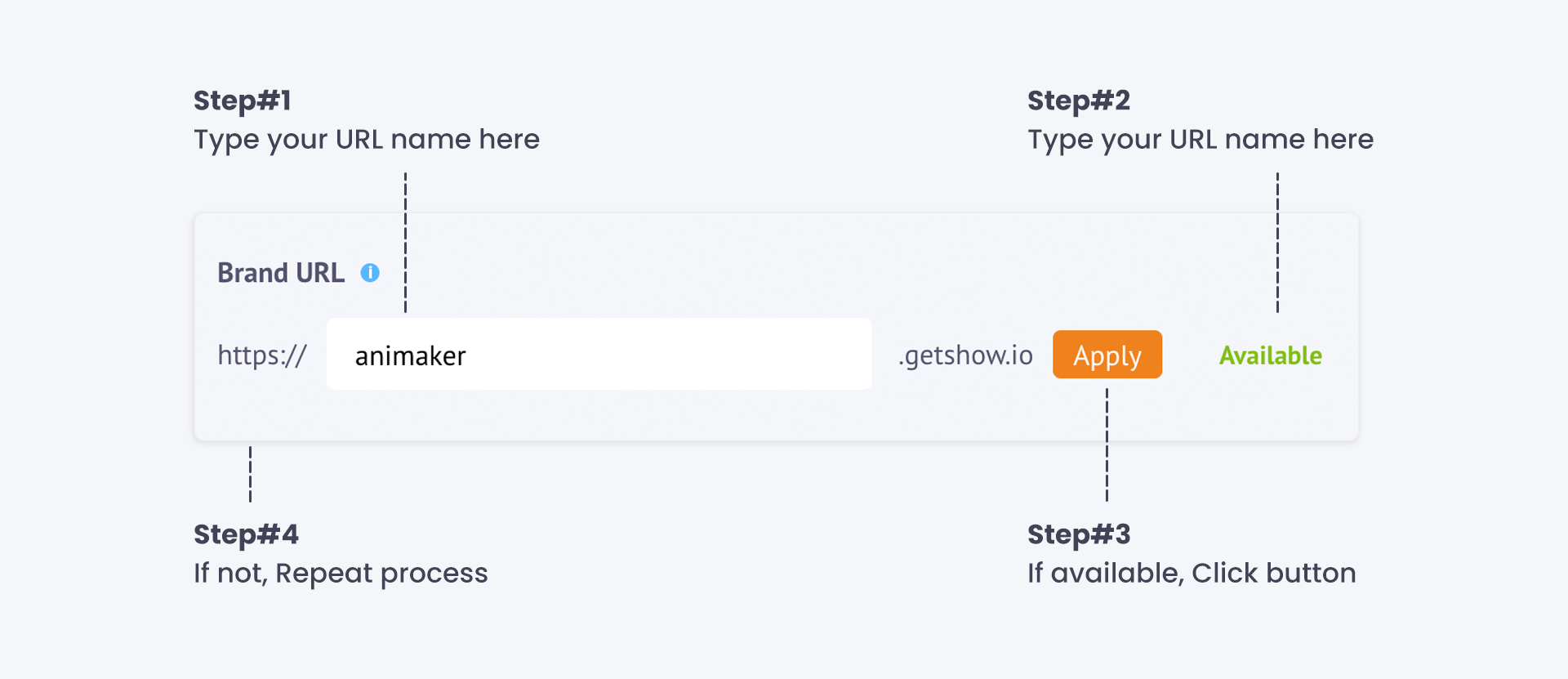
You can create your own Brand URL for your show channel. All you need to do is type out the name in the box below and if the name is available you can click the 'Apply' button.
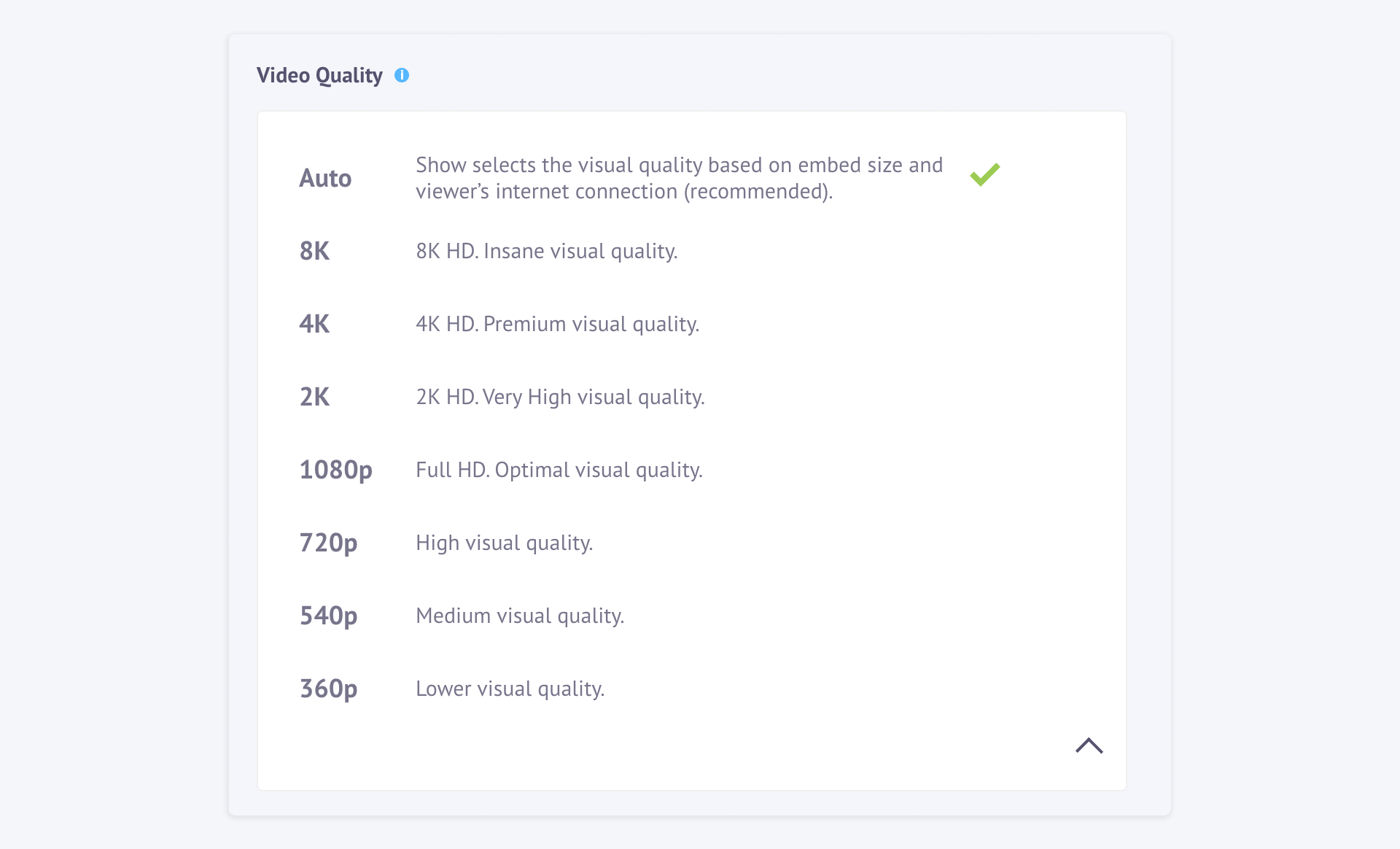
4. BRANDING YOUR VIDEO QUALITY
You can set a particular video quality for all your Show videos as part of your branding process by selecting one of the options below,