Your Show Bandwidth
WHAT IS BANDWIDTH?
Bandwidth is the data that is used up when a viewer plays your video. So each time a viewer clicks the play button, data is used up from your allocated bandwidth for the user to watch that video.
Your bandwidth can also be used up when you or your team clicks the video for internal viewing. Other cases where your bandwidth usage can be counted are when you,
- Load the Player & Thumbnail images,
- Load & Download Media, both images & videos
USAGE
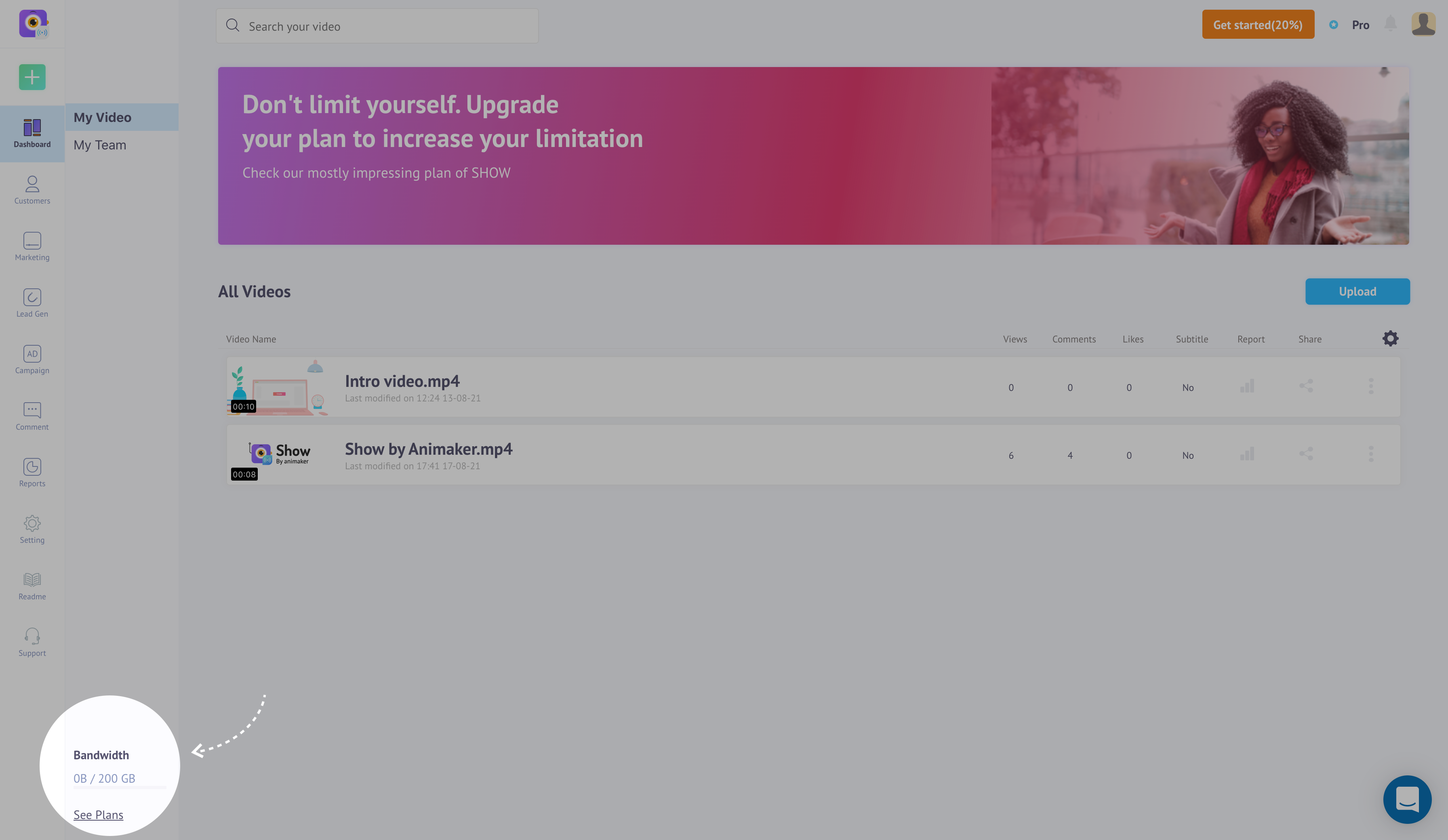
You can keep a track of the bandwidth used by your SHOW account in the Dashboard menu itself as shown here,
Or
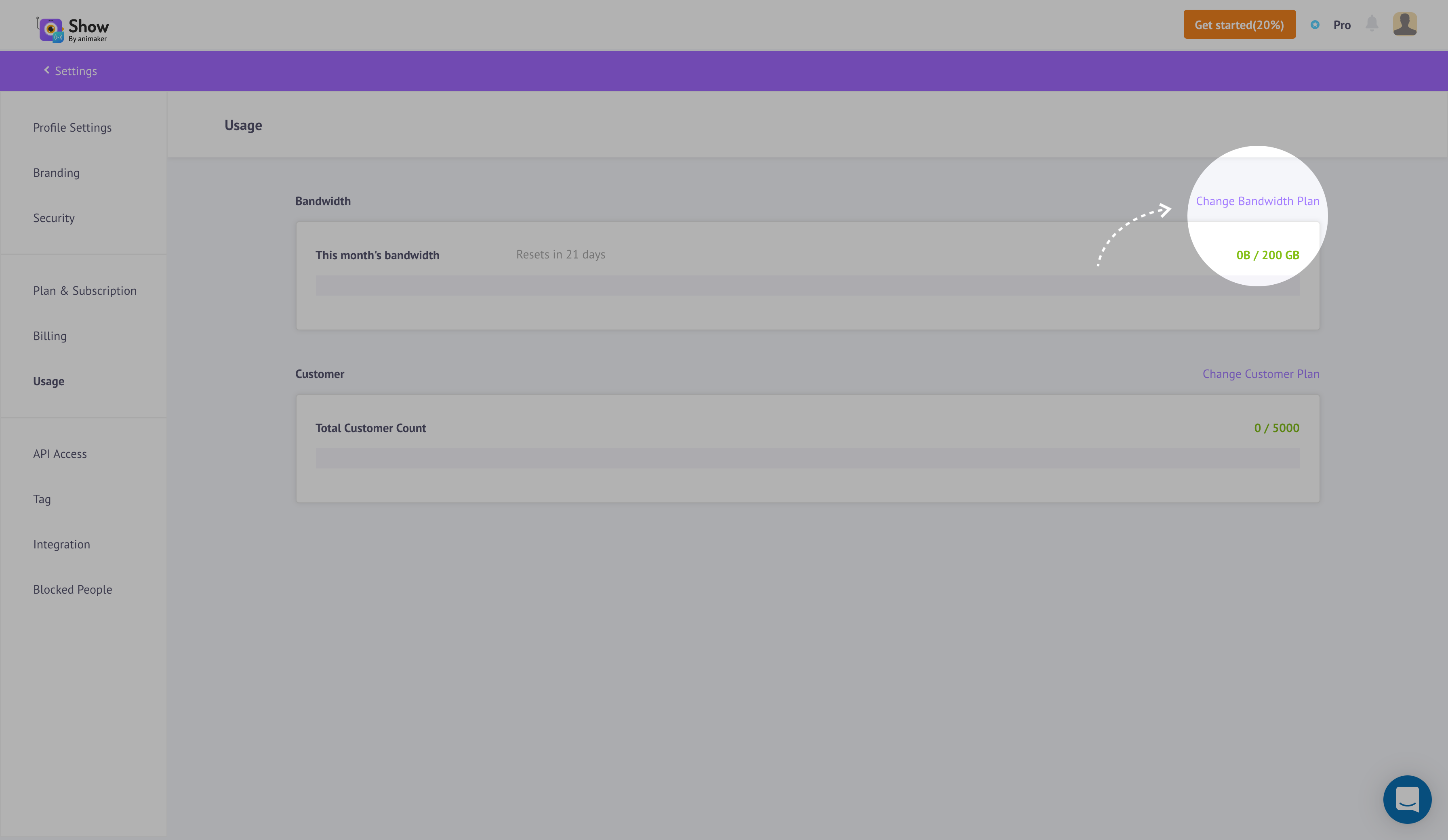
You can go to the 'Usage' menu as shown to see how much of your allocated bandwidth have you used up, like so,
ADD BANDWIDTH
Your default allotted bandwidth would vary depending on your current plan. if your current allotted bandwidth is not sufficient you can always add more Bandwidth to your account. You can add your bandwidth by either
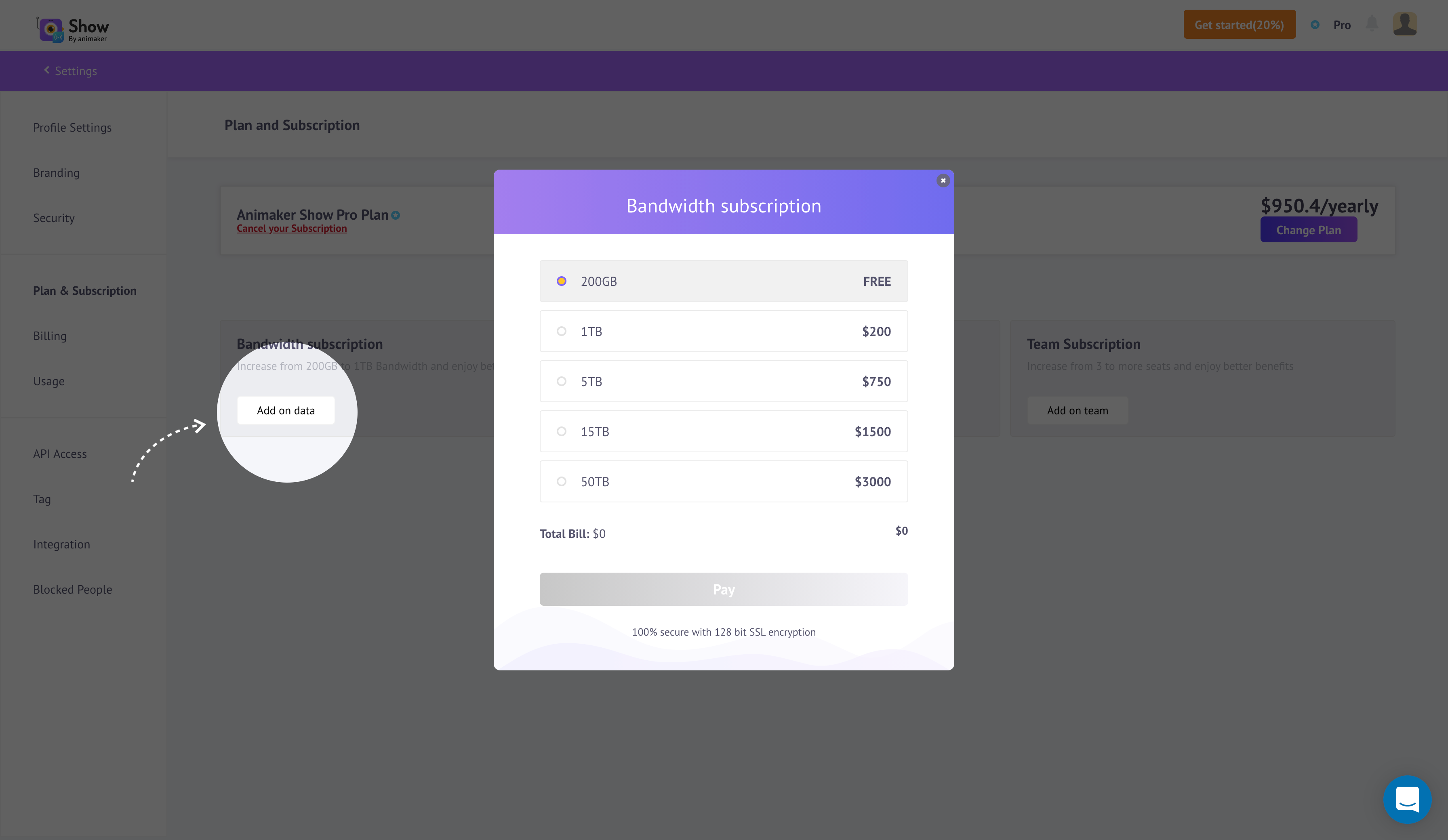
You can reach the Add Bandwidth window by going to the 'Usage' menu and clicking the\ 'Change Bandwidth Plan', like so,
Or
You can go to the 'Plans & Subscription' menu, then click the Add on Data button, and then you will reach the Add Bandwidth window, like so,
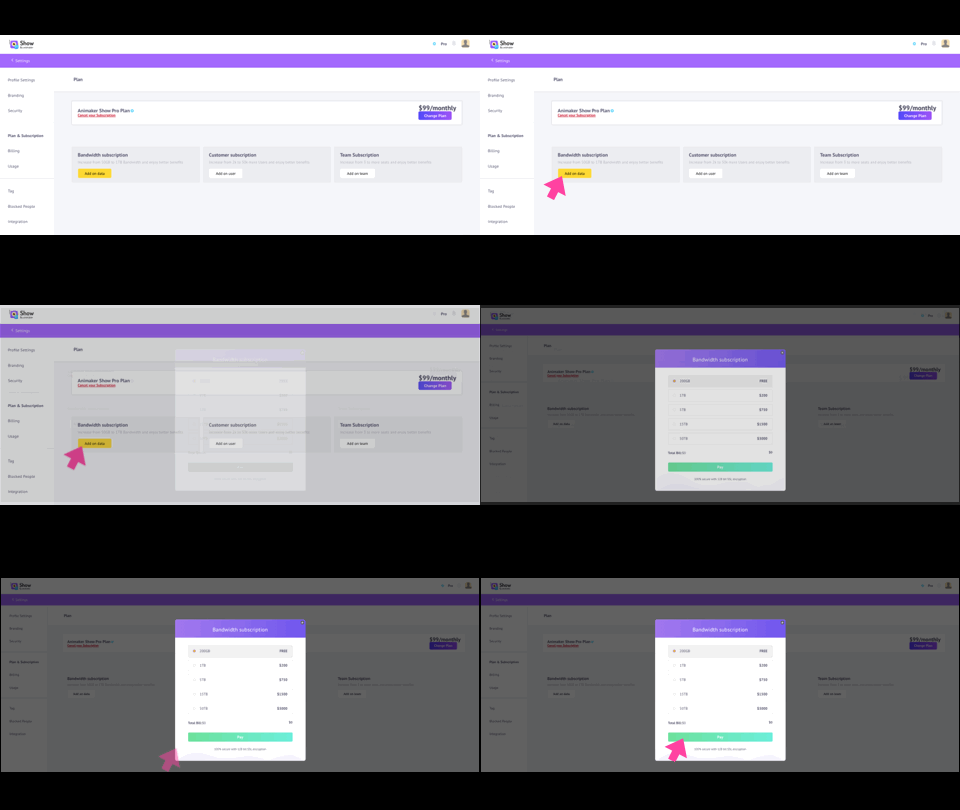
At the Add Bandwidth page, you can now select how much bandwidth you would require and then click the Pay button and the extra amount will be billed automatically.