Landing Page Appearance
📘 What can you do here?
You can decide what information you want your viewer to see on your video's landing page.
You can also use tags for SEO.
OVERVIEW
The Video Page is where you tell your audience what your video is all about, who uploaded it, how many people liked it and display the viewers' comments.
This is the basic structure of what your viewer will see when they open the link to your video.
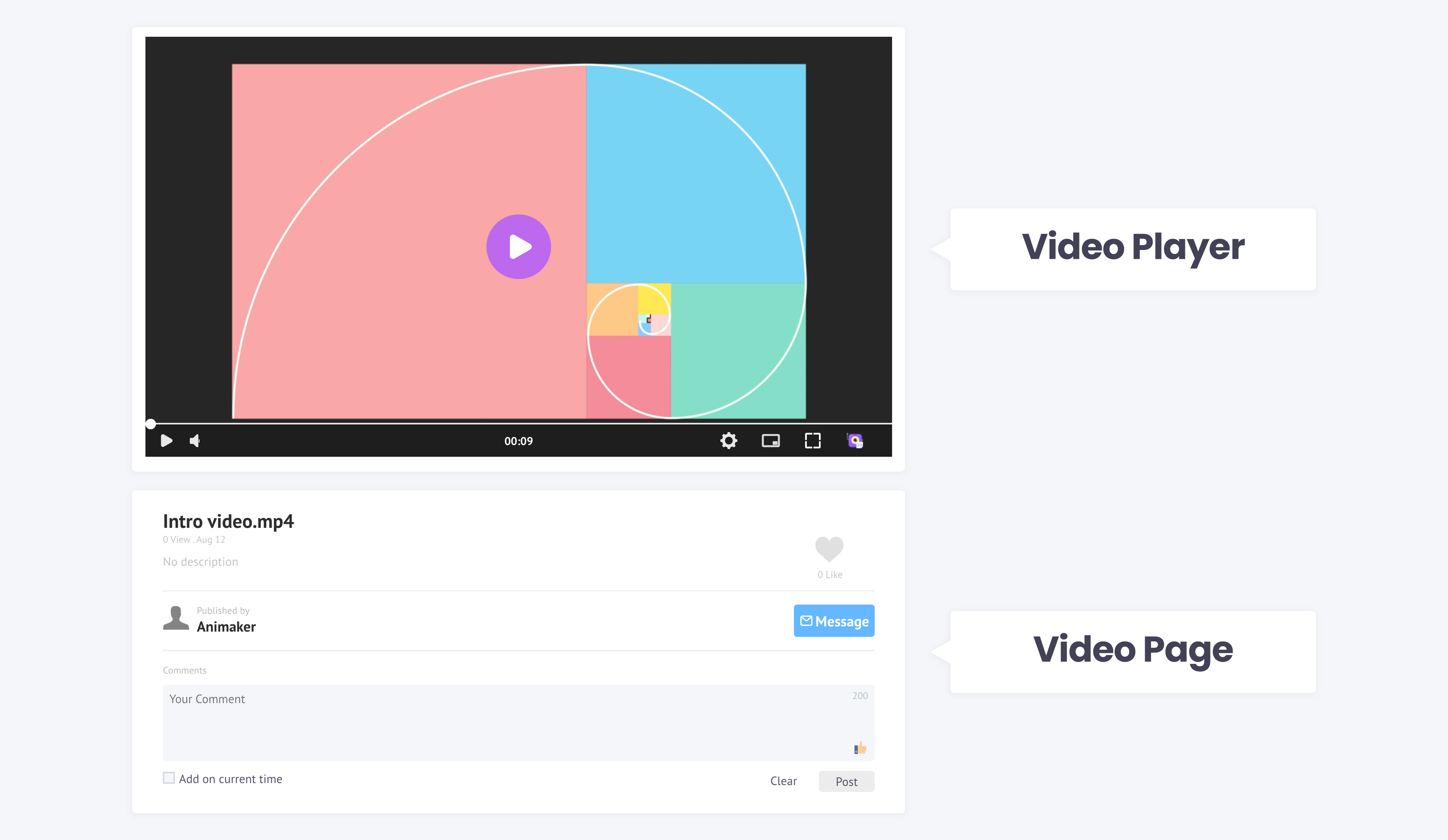
You can either be free to provide everything that is to know about your video or you can release only the basic information.
The normal scenario for full disclosure about the video could be after a product launch where you need to get your product out there.
You can be a little evasive about your video if you plan to put out a teaser video where you want to gauge the responses of potential customers to a new product.
Your Video Page
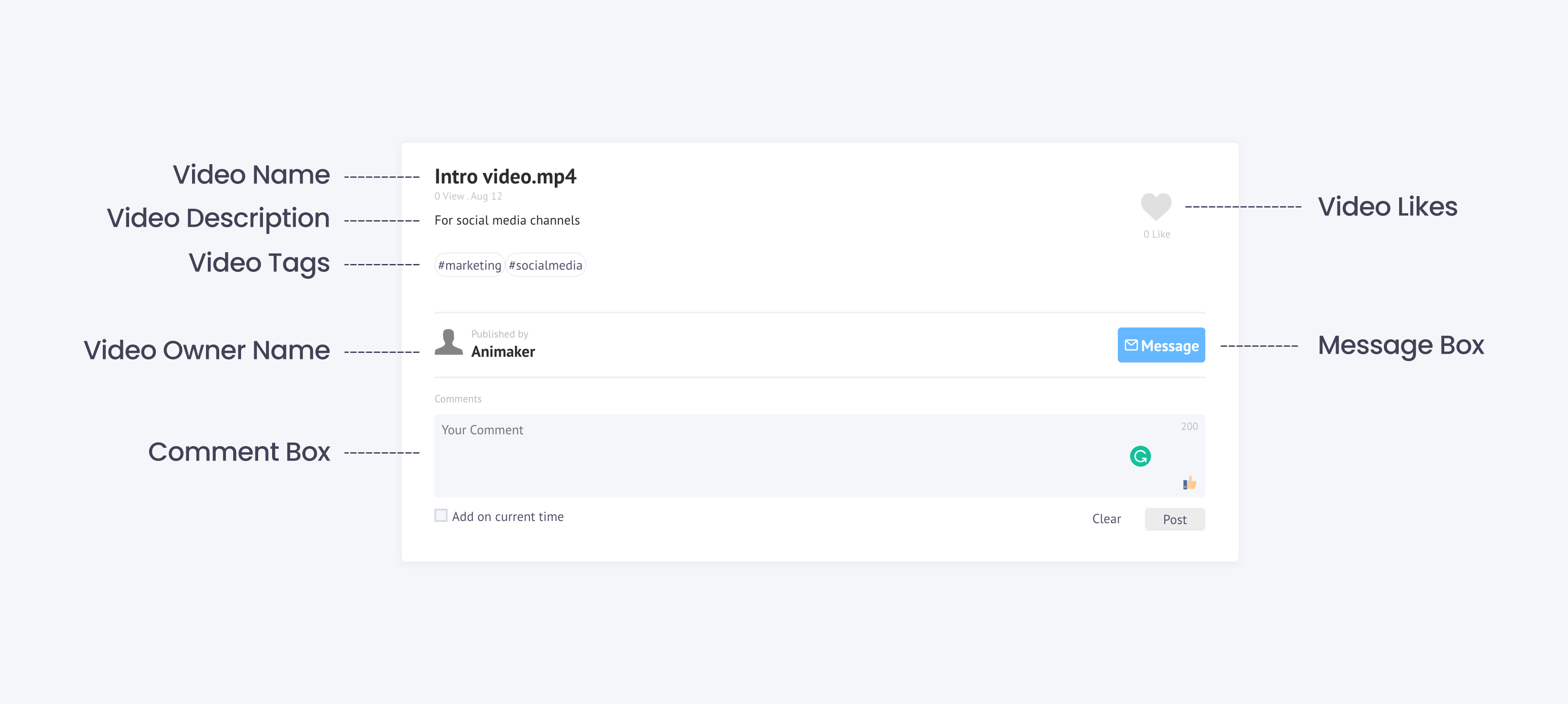
Before you go any further, we can sum up the video page as below,
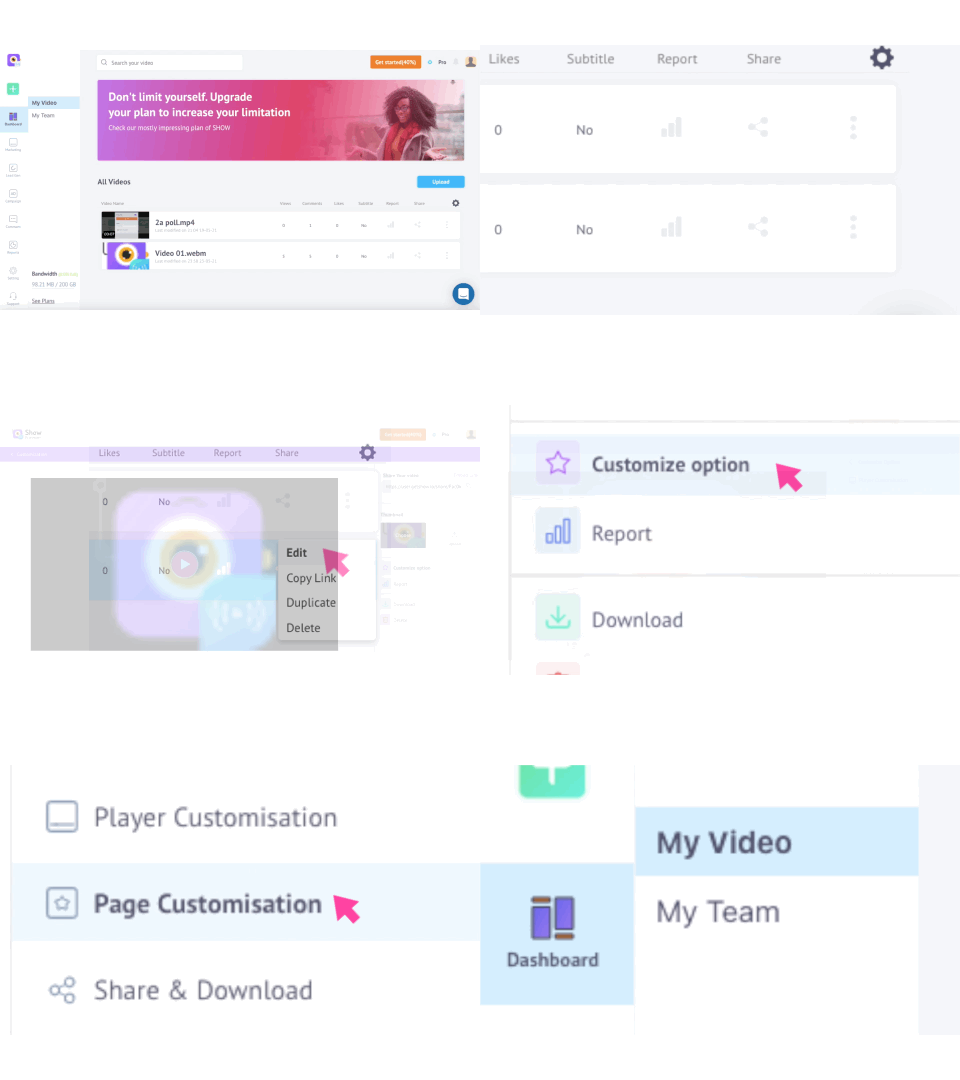
How to get here?
PAGE CUSTOMIZATION OPTIONS
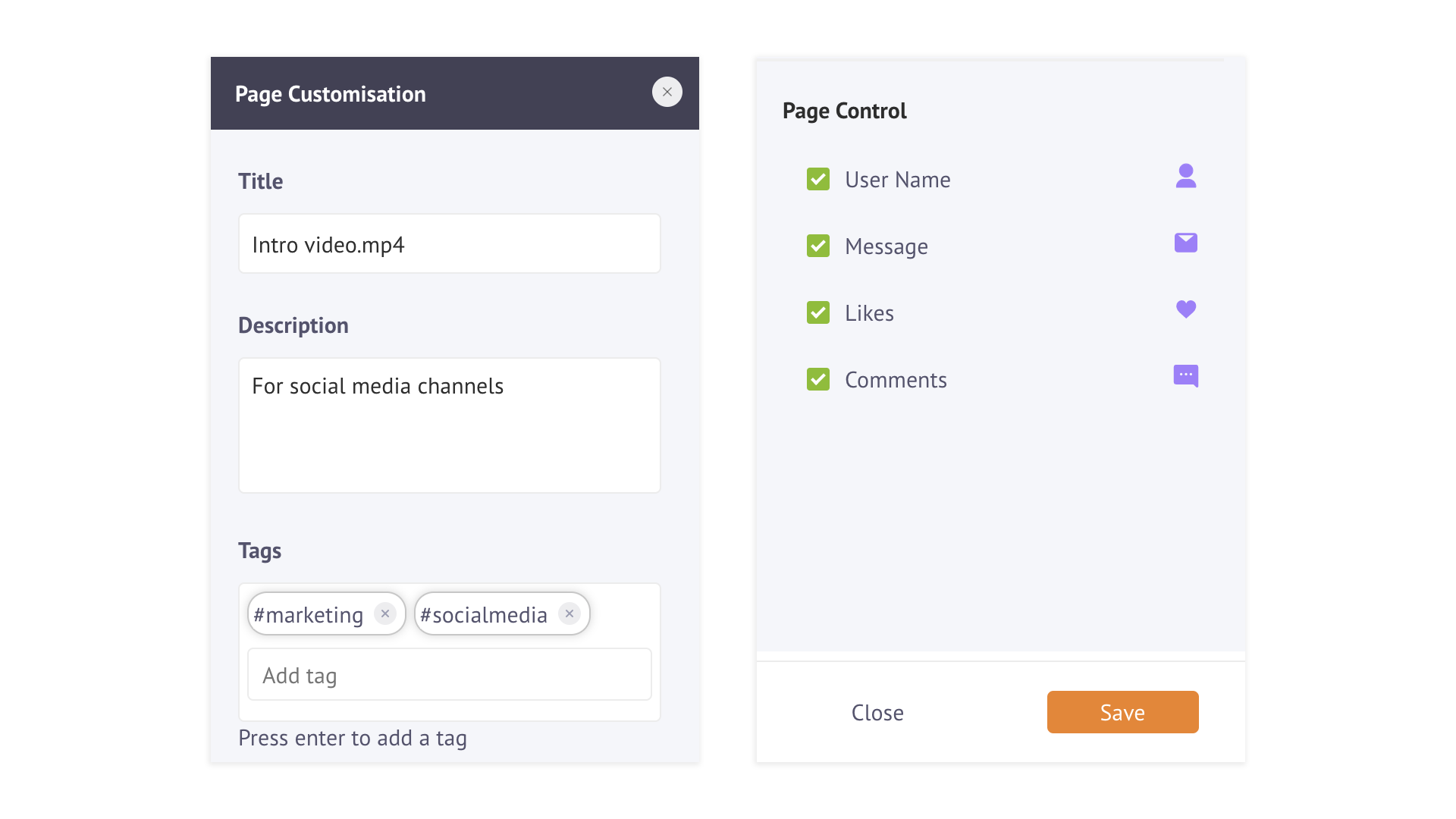
This is the page customization page where the video page can be modified.
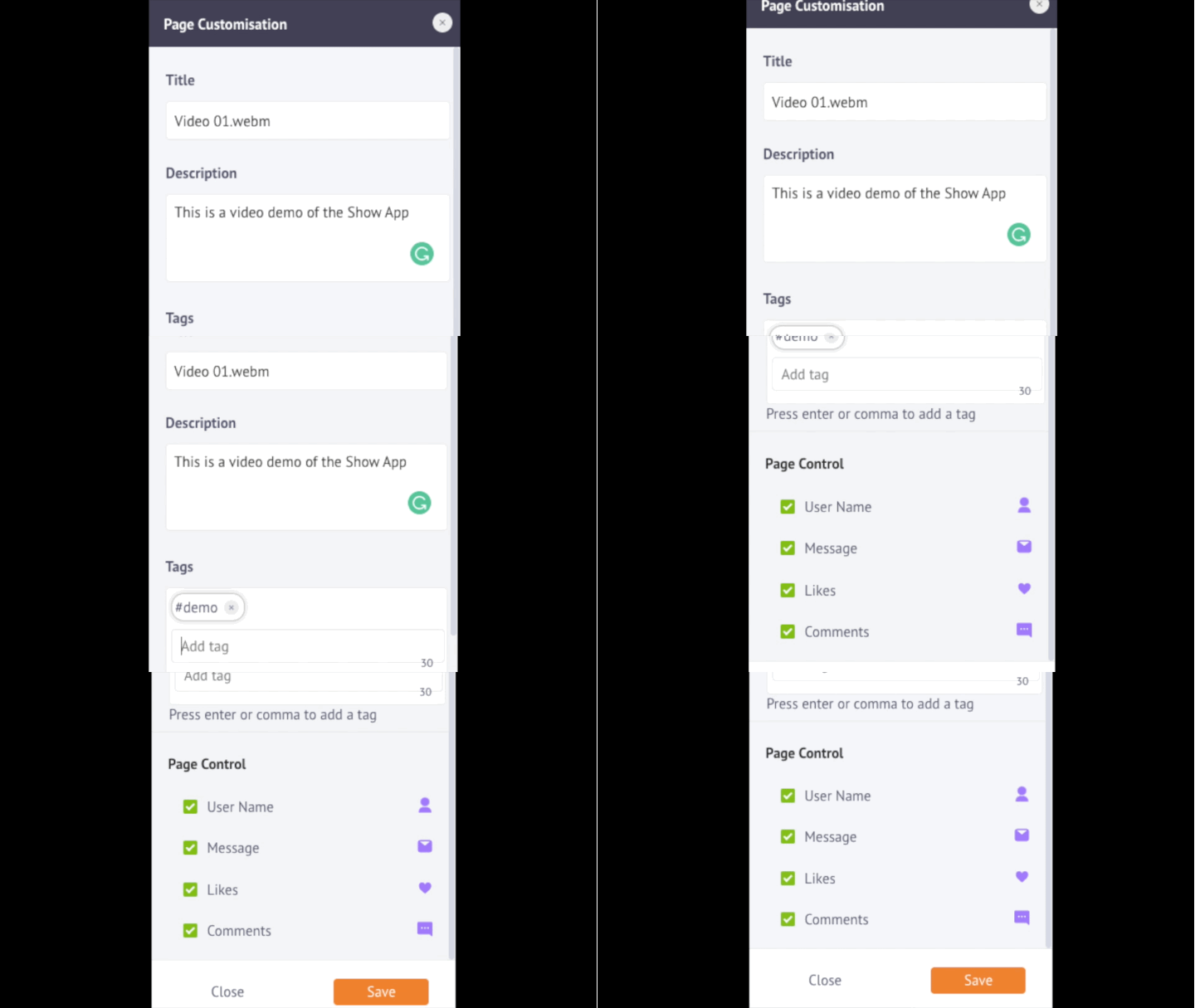
You can check out all the page customization options below,
🚧 NOTE
Please DO NOT FORGET to save your customization after you finish.